|
About the AuthorJoseph Friedman was born and raised in Los Lunas, New Mexico. He graduated from New Mexico Tech in 2010. He now works doing freelance marketing for local Albuquerque rock bands. Contents |
Elements of Effective ScreencastWhen creating a list of common elements of every effective screencast, it is hard to accommodate all that a screencast can be. Necessary elements for a short how-to screencast might not be universally applicable to a conversational demo. Therefore, it is important to reach back into the building blocks of every screencast, multimedia. Below are the elements of a screencast, and how to use them effectively. This list is detailed in Table 1. 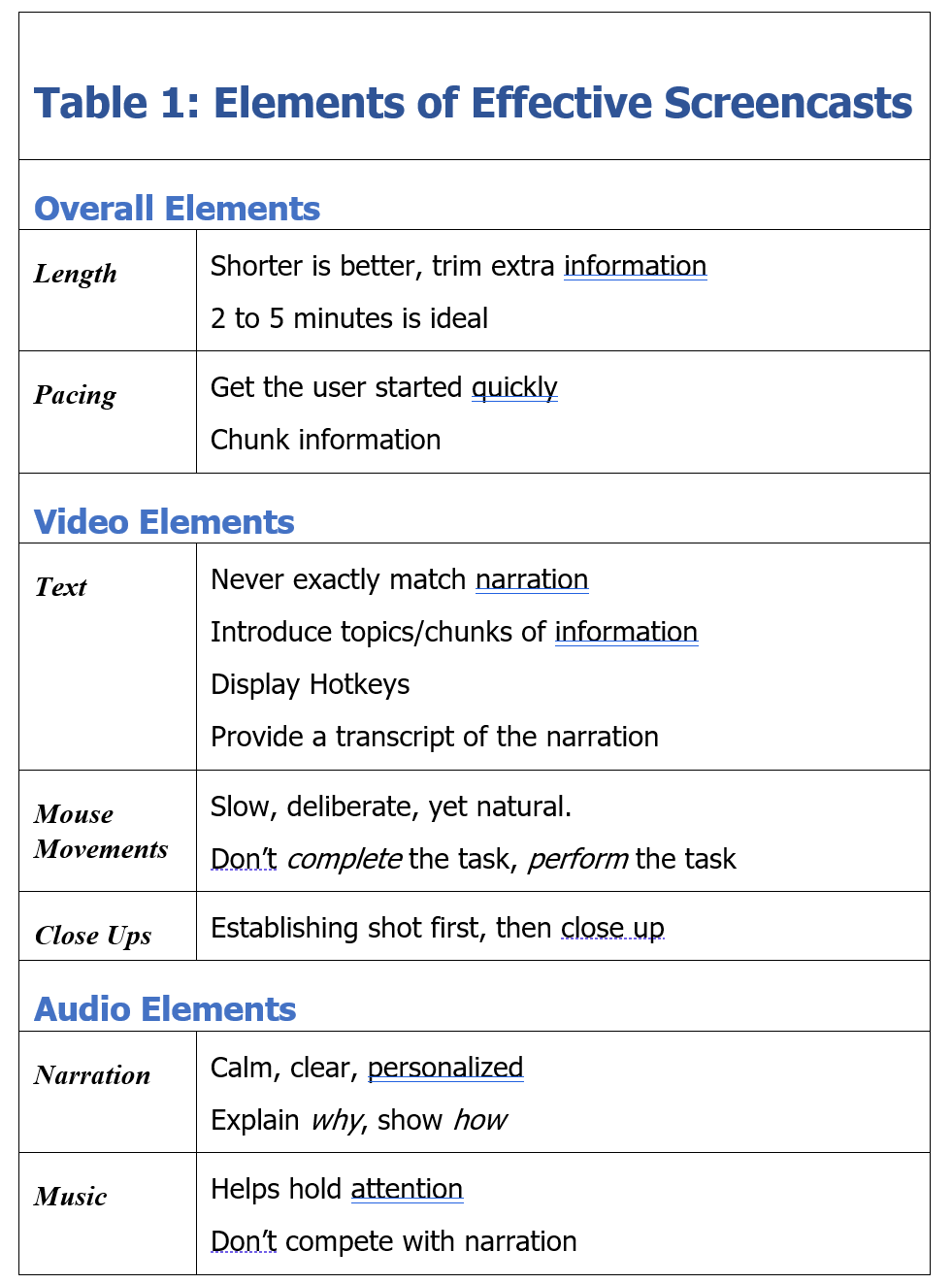 Table 1: Elements of Effective Screencasts Overall Elements Length In general, shorter is better. A typical tutorial or how-to screencast should run between 2 and 5 minutes. However, for some genres of screencast a longer runtime is acceptable. Remember that it is important to trim extraneous information. Pacing Avoid a long introduction; get the user started quickly. However, do not move quickly. Leave short breaks (2-5s) between chunks of information. This can also assist the audio synch up during the editing process. Video Elements Text Text should be used in a very limited fashion. Text is useful to introduce each topic or display hotkeys. Make sure the text never exactly matches the narration. Provide a transcript of the narration on the same page as the video instead of closed captioning. Accessibility concerns will be discussed in more depth in the Screencasting Shortcoming section. Mouse Movement The pointer should move naturally, but slowly enough for the user’s eyes to follow. Remember that you are performing the process for others. It may take some time to adjust to moving the mouse so slowly. Several screencasting programs have methods for calling attention to the pointer such as red circles, lighting. Close ups A close-up is a zoomed in shot of a portion of the screen. These can be effective at highlighting an important area of the screen or showing detail, but close ups need to be used in conjunction with establishing shots to guide the user’s eyes. Some screencasting software allows inset or perspective zooms. Inset close-up shots (Fig. 2) avoid needing establishing shots. Tilted close-up shots with perspective are flashy, but are not proven to be more effective than a straight-on view (Fig. 3). 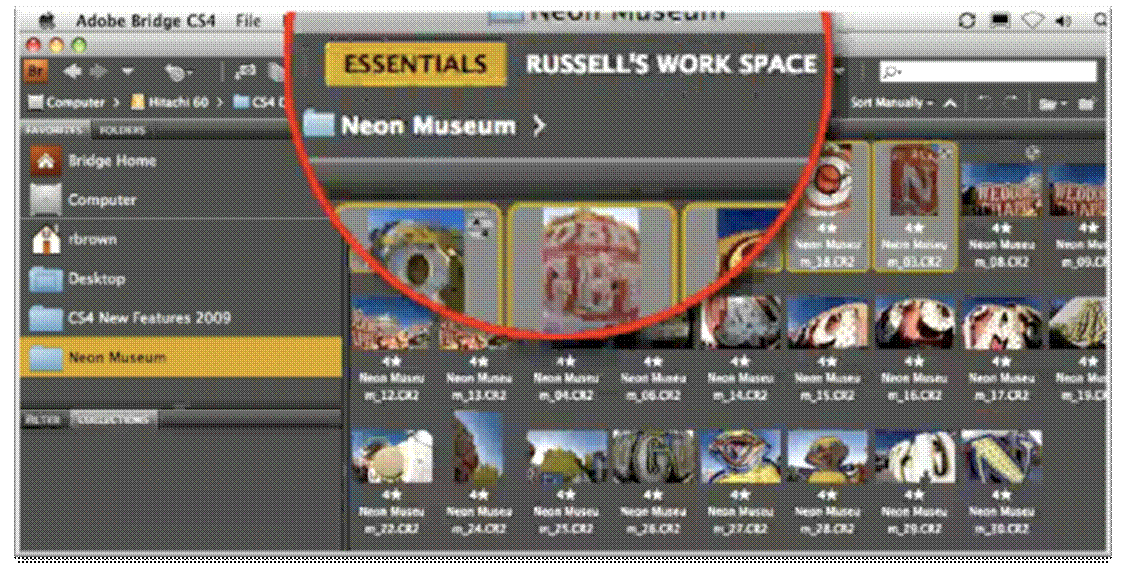 Figure 2 - Inset close-up
 Figure 3 - 3d perspective close-up
Audio Elements Narration Narration should not simply describe, it should complement. Remember to speak in a clear voice, avoid monotone, and do not rush. Allow your personality to come through. The narration should explain "why" as the video shows "how." When scripting a narration, remember that spoken language is different from written language; it is more colloquial: contractions, incomplete sentences, slang, etc. (Atkinson, 1993). Music Music is acceptable for longer screencasts; it helps the user stay attentive during periods of no narration. It can be effective in drawing in the user during the first moments of the screencast. Not all screencasts need to use music. For example, a short how-to would be slowed down by a musical introduction. Remember that music and narration are processed in the auditory channel, so music could distract or detract from the effectiveness of the narration. |